Frequently Asked Questions
What is the best AI task management tool?
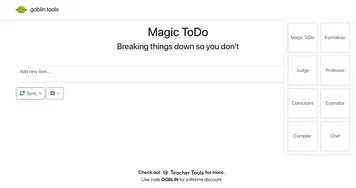
The best AI task management tool depends on team size. ClickUp Brain and Asana AI suit teams that need boards, dependencies, and reporting in one place. Notion AI works well for people who want notes and tasks together, and Goblin Tools is great for breaking overwhelming jobs into bite-sized steps on your own.
How does AI help with task management?
AI helps by doing the busywork around your tasks. It can split a vague goal into concrete subtasks, write project summaries from scattered updates, draft task descriptions, and suggest what to tackle next based on deadlines and priority. The point is to spend less time organizing work and more time actually doing it.
Are AI task management tools free?
Most have a free tier that covers personal use or a small team, with paid plans unlocking AI features, automations, and larger workspaces. Free plans often cap the number of AI actions per month. Lightweight tools tend to stay free longer, while full project platforms charge per user once you scale up.
What's the difference between task management and project management tools?
Task management focuses on individual to-dos: capturing them, prioritizing them, and checking them off. Project management adds the bigger picture, like timelines, dependencies, team roles, and reporting across many tasks. Many AI tools do both, so the real question is how much structure you need beyond a simple list.
Can AI task tools work with my existing apps?
Most connect to the tools you already use, like calendars, email, Slack, and document apps, so tasks can sync in both directions. Platforms like Asana and ClickUp have deep integration libraries, while simpler tools may offer just a handful. Check that your key apps are supported before committing a whole team.