Best AI Short Video Generation Tools

106 toolsRanked by traffic

AI short video generation tools create brief video clips from scratch, usually a few seconds long, from a text prompt or an image rather than from existing footage. The emphasis here is on generating a short clip outright, not editing one down. Popular picks include Kling AI, Veo, Sora, and PixVerse.

Social creators reach for these to make quick visuals for TikTok, Reels, and Shorts, or to test a concept before filming. The short length is a feature, not just a limit: these models are tuned to render a punchy clip fast. Keep in mind that a generated short is different from a reel maker, which edits clips you already have. If you need long, continuous footage, you will stitch several generations together, since each one stays short by design.

Kling AI
Kling AI - icon
Kling AI
Generates cinematic videos from text or images with realistic motion
Veo
Veo - icon
Veo
Generates high-quality videos with audio from text or image prompts
Sora
Sora - icon
Sora
Generates hyperrealistic videos from text prompts with synchronized audio
Vimeo AI
Vimeo AI - icon
Vimeo AI
Creates polished videos from single recordings using AI edits and scripts
CapCut Creative Suite
CapCut Creative Suite - icon
CapCut Creative Suite
Online creative suite for everyone to create stunning images and videos
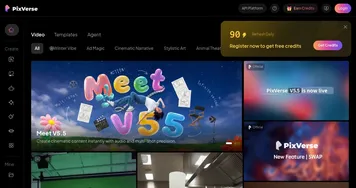
PixVerse
PixVerse - icon
PixVerse
An AI-driven tool designed to help users create fancy videos with ease
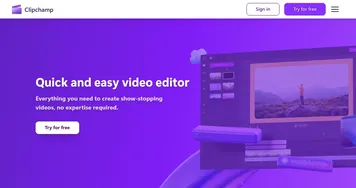
Clipchamp
Clipchamp - icon
Clipchamp
Edit videos effortlessly with AI-powered tools and templates
Higgsfield
Higgsfield - icon
Higgsfield
An AI video tool that can turn still images into motion clips with cinematic camera moves
InVideo
InVideo - icon
InVideo
Helps you make professional videos with ready-made customizable templates
Hailuo AI
Hailuo AI - icon
Hailuo AI
Transforms text or images into high-quality, short AI-generated videos
Kapwing
Kapwing - icon
Kapwing
Transforms text or images into edited videos with AI-driven features
Opus Clip
Opus Clip - icon
Opus Clip
A generative AI video creation tool that repurposes long videos into shorts
Vidu AI Video Generator
Vidu AI Video Generator - icon
Vidu AI Video Generator
Transforms text and images into high-quality AI-generated videos in seconds
Luma Dream Machine
Luma Dream Machine - icon
Luma Dream Machine
Generates stunning images and videos from simple text prompts
Pika
Pika - icon
Pika
An AI-powered design platform that can translate your ideas into engaging videos

Frequently Asked Questions

What is the best AI tool for short video clips?
The best tool for short AI video clips depends on your style. Veo and Sora produce the most realistic short scenes, Kling AI handles motion and characters well, and PixVerse is fast and friendly for social content. Try a couple of free generations to see which one matches the look you are after.
Is short video generation the same as a reel maker?
No, they do different jobs. Short video generation creates a brand new clip from a prompt or image, while a reel maker edits and arranges footage you already have, adding captions, music, and transitions. If you want original visuals from nothing, you need a generator, not an editing app.
How long are AI generated short videos?
AI generated short videos usually run from about three to ten seconds per clip. That fits vertical social formats well, where attention is brief and clips loop. For a longer piece, creators generate several short segments and join them in an editor, since one continuous long render is still difficult for most models.
Can AI make videos for TikTok and Reels?
Yes, AI tools can generate vertical clips sized for TikTok, Instagram Reels, and YouTube Shorts. You set the aspect ratio to nine by sixteen, describe the scene, and render. Many creators use AI shorts as eye-catching intros or B-roll, then pair them with real footage and a voiceover for a complete post.
Are AI short video tools free?
Most AI short video tools give you a handful of free credits to start, then charge once you run out. Paid plans typically begin around ten dollars a month and add more renders, higher resolution, no watermark, and commercial rights. Because each render uses real computing power, free limits tend to be tight.