Best AI Spreadsheet Tools

34 toolsRanked by traffic

AI spreadsheet tools help you build, analyze, and automate spreadsheets using plain language instead of manual formulas. You describe what you want, and the tool writes the calculation, cleans the data, or surfaces an insight for you. The category includes AI-native spreadsheets like Rows and Bricks, data-analysis assistants like Julius, and app-builders like Glide that turn a sheet into a working tool.

People use these to skip the tedious parts of spreadsheet work: writing complex formulas, summarizing a messy dataset, or pulling in live data from another source. The split worth knowing is between AI-native spreadsheets, which replace your existing tool, and add-on assistants that sit inside the spreadsheet you already use. If you'd rather not switch tools, an assistant that plugs into your current setup is the gentler path.


Skywork
Skywork - icon
Skywork
Transforms simple prompts into research-backed docs, slides, and podcasts
Glide
Glide - icon
Glide
Makes it easy to build and deploy custom apps your business needs, and the team will love
Julius
Julius - icon
Julius
An advanced AI tool designed to simplify data analysis and visualization
Bricks
Bricks - icon
Bricks
An AI-powered spreadsheet platform for data analysis, reporting, and visualization tasks
Hex Magic
Hex Magic - icon
Hex Magic
AI-powered tools for humans doing amazing things with data
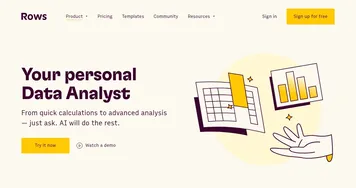
Rows
Rows - icon
Rows
Build better spreadsheets faster with your personal data analyst
Coefficient AI
Coefficient AI - icon
Coefficient AI
Supercharge your spreadsheets with GPT-powered AI tools for connecting data
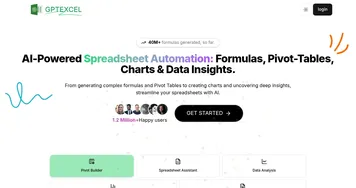
GPTExcel
GPTExcel - icon
GPTExcel
AI spreadsheet tool that generates and explains Excel formulas
formula bot
formula bot - icon
formula bot
Revolutionize your analytics workflow, from data prep to analysis with AI
GPT for Work
GPT for Work - icon
GPT for Work
A productivity add-on for Google Sheets and Docs that assists you with tasks
Kanaries
Kanaries - icon
Kanaries
Automates exploratory data analysis and creates interactive visualizations from datasets with one click
SheetGod
SheetGod - icon
SheetGod
An AI-powered tool designed to simplify the creation of complex Excel and Google Sheets formulas
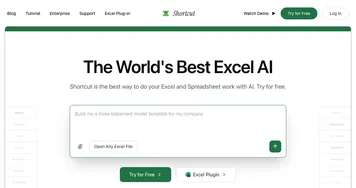
Shortcut
Shortcut - icon
Shortcut
Automates complex Excel tasks using AI agents
Powerdrill
Powerdrill - icon
Powerdrill
An analytics tool providing fast and actionable insights from large amounts of data
Numerous.ai
Numerous.ai - icon
Numerous.ai
Extract text, categorize, generate formulas, and use ChatGPT inside spreadsheets

What can I do with AI tools for spreadsheets?

AI tools for spreadsheets can help you with many tasks, such as:
  • Data analysis

    Analyzing large amounts is never easy, but luckily, AI-powered tools like Rows can help you identify trends, outliers, and patterns that might not be immediately obvious. For instance, analyzing sales data is easier with these tools as they can quickly help you identify which products are the most popular or which regions perform the best.
  • Forecasting

    Beyond analysis of current figures, AI tools for spreadsheets can also be helpful in forecasting future numbers. For instance, if you have entered data for previous quarters, these tools can jump in and predict your numbers for the next quarter - allowing you to make more informed decisions and plan better for the time ahead.
  • Error detection and correction

    Word processors had the spell check feature for years, and thanks to the advance of AI technologies - we now have something similar for spreadsheets where a single number could kill your calculus. Reducing errors and ensuring the accuracy of your data helps a ton.
  • Data visualization

    Not everyone is a numbers guy or gal, with many folks preferring visualizations instead. And while most modern spreadsheet apps allow you to create charts from your data, those powered by AI can go one step beyond and suggest visualizations for you. Or you can ask for them with a simple prompt, such as "create a pie chart from my data."
  • Formula generation

    AI tools such as GPTExcel and GPT for Work can automatically generate formulas based on the data in your spreadsheet. For instance, if you input a series of numbers, the tool can generate a formula that fits those numbers. This will save you time and, again, reduce the risk of errors.
  • Insight generation from a text prompt

    There are AI tools out there that let you "chat" with your spreadsheet. Instead of looking through the numbers, you can just ask for things like "What are the average sales for the last quarter?" or "Which of my customers made me the most money." Powerful stuff.
To sum it up, AI is coming to a spreadsheet near you, and you're gonna love it. This technology is already here and will soon be available across the board, making your job that much easier while reducing errors along the way. Love it!

Frequently Asked Questions

What is the best AI spreadsheet tool?
The best AI spreadsheet tool depends on whether you want to switch tools or enhance your current one. Rows and Bricks are AI-native spreadsheets built around natural language, Julius is strong for analyzing data you upload, and Glide turns a sheet into an app. Pick based on how much you want to change your current workflow.
Can AI build a spreadsheet for me?
Yes, AI spreadsheet tools build spreadsheets from a description of what you need. You explain the columns, calculations, or structure in plain language, and the tool sets up the sheet, writes the formulas, and can populate sample data. This is useful when you know the result you want but not the exact functions to get there.
Can AI analyze data in a spreadsheet?
Yes, AI spreadsheet tools analyze your data and answer questions about it in plain language. You upload or open a sheet and ask things like which region grew fastest, and the tool runs the calculation and explains the result. Some go further and generate charts or summaries, so you skip building pivot tables by hand.
What's the difference between an AI spreadsheet and AI for Excel?
An AI spreadsheet is a standalone tool with intelligence built into the app itself, often replacing your current spreadsheet. AI for Excel works inside Microsoft Excel, adding formula help and analysis to the program you already use. Choose an AI spreadsheet for a fresh start, or an Excel assistant to keep your existing files and habits.
Are AI spreadsheet tools free?
Many AI spreadsheet tools offer a free tier with limits on rows, AI requests, or integrations. Paid plans, often in the low tens of dollars a month per user, raise those caps and unlock team features. Because these tools vary so much in approach, the free tier is the fastest way to see if one fits your work.