Best AI Writing Assistant Tools

343 toolsRanked by traffic

An AI writing assistant is an all-purpose tool that helps you draft, edit, and improve any kind of writing in one place. You describe what you need and it produces or refines the text, then keeps helping as you revise. Broad assistants like ChatGPT, Gemini, and Claude cover the widest range, while SwiftKey AI Keyboard brings the same help to your phone.

Think of this as the umbrella category: a writing assistant can generate a first draft, then turn around and tidy up your grammar, tone, and structure. Students, marketers, support teams, and busy professionals lean on them to move faster. When you're choosing one, the real questions are how well it remembers your context, whether it can read your files, and how naturally its tone matches your own. Many people keep two open and switch by task.

ChatGPT
ChatGPT - icon
ChatGPT
All-round AI assistant generating human-like responses to user queries and tasks
Gemini
Gemini - icon
Gemini
Generates responses from text, images, audio, and video inputs using advanced multimodal AI
Claude
Claude - icon
Claude
Assists users in reasoning, coding, writing, and analyzing data with advanced AI models
Poe
Poe - icon
Poe
Aggregates top AI models for seamless chatting and bot creation
SwiftKey AI Keyboard
SwiftKey AI Keyboard - icon
SwiftKey AI Keyboard
Enhances typing with AI-powered autocorrect and predictions
Brave Leo
Brave Leo - icon
Brave Leo
Assists with web queries, content creation, and document analysis in-browser
DeepL
DeepL - icon
DeepL
Delivers remarkably natural AI translations that capture nuance better than most rivals
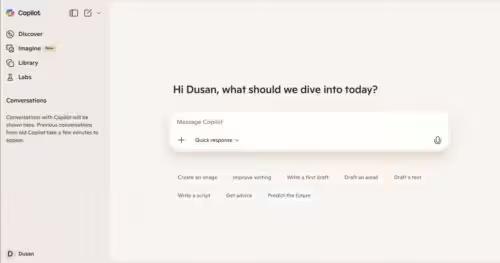
Microsoft Copilot
Microsoft Copilot - icon
Microsoft Copilot
Boosts productivity with AI-driven answers, writing, and image creation
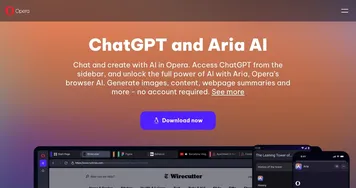
Opera AI
Opera AI - icon
Opera AI
Integrates AI chat and image generation into a browser
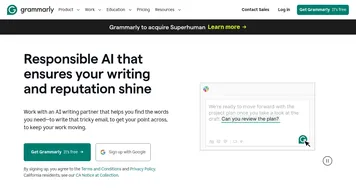
Grammarly
Grammarly - icon
Grammarly
Enhances writing with grammar, tone, and style suggestions.
QuillBot
QuillBot - icon
QuillBot
Enhances writing with AI-powered paraphrasing, grammar checking, and tone analysis.
ClickUp Brain
ClickUp Brain - icon
ClickUp Brain
Automates workflows with contextual AI for tasks, meetings, and content creation
Qwen Chat
Qwen Chat - icon
Qwen Chat
Alibaba's AI assistant, designed to handle text, images, audio, and video
Kimi
Kimi - icon
Kimi
An AI assistant that can interpret images, analyze code, and provide real-time information
Notion AI
Notion AI - icon
Notion AI
Streamlines work with AI-powered note-taking, app searches, and workflow automation

Frequently Asked Questions

What is the best AI writing assistant?
The best AI writing assistant depends on your work. ChatGPT is the most well-rounded for everyday drafting and editing, Claude handles long documents and careful reasoning, and Gemini ties tightly into Google Docs and search. Most people test two or three free tiers before settling on one they trust.
Are AI writing assistants free to use?
Most AI writing assistants offer a free tier with daily limits, then charge for heavier use. Paid plans usually run around twenty dollars a month and unlock the strongest models, higher usage caps, and extras like file uploads, longer memory, and live web access. The free tiers are genuinely useful for casual writing.
What can an AI writing assistant do?
An AI writing assistant can draft emails and essays, rewrite awkward sentences, fix grammar, summarize long text, brainstorm ideas, and adjust tone. The broad ones double as research and coding helpers. Because they cover so much ground, they suit people who want a single tool rather than several narrow ones.
Can AI writing assistants replace human writers?
AI writing assistants speed up writing but do not replace skilled humans. They produce a strong first draft and catch obvious errors, yet they still miss nuance, invent facts, and flatten a distinct voice. The best results come when a person guides the tone, checks the claims, and shapes the final piece.
Is it safe to use an AI writing assistant for work?
Using an AI writing assistant for work is generally safe if you mind your data. Many providers may use your inputs to train their models unless you opt out, and free tiers tend to retain more. For confidential material, check the privacy settings, disable training where offered, and avoid pasting sensitive details.