
Best AI Image Generation & Editing Tools
AI image generation and editing tools create brand-new pictures from text descriptions and reshape existing ones with simple instructions. You describe what you want and the model renders it; you can also upload a photo and ask it to swap a background, remove an object, or extend the frame. The category runs from text-to-image engines like Imagen and Black Forest Labs to all-purpose assistants such as ChatGPT and Grok that now generate and tweak images inside a chat.
Marketers, social teams, product designers, and everyday users reach for these to make graphics, mock up product shots, or fix a photo without opening Photoshop. When you're choosing, the things that matter are how accurately it follows your prompt, whether it can edit a specific region instead of regenerating the whole image, and how clean it keeps faces, hands, and small text. Those are still the hardest things for these models to get right.










What can I do with AI tools for image generation?
If you need an image for something, you don't have to pay for it - you can generate a new image for free. Depending on what you need that image, it could even work better for you than a stock photo. Here are some of the top use cases for AI tools for image generation:-
Art creation
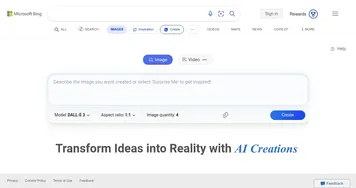
We have the entire section with AI tools for art, but it's worth repeating. These tools can create digital art, such as paintings, illustrations, and designs. What's more, you can include a style of the resulting image in your prompt. For instance, you can type "create an image of New York City's skyline like Monet has painted it." Cool stuff. Popular options include Midjourney, DALL-E and Bing Image Creator (which is powered by DALL-E). -
Photo editing
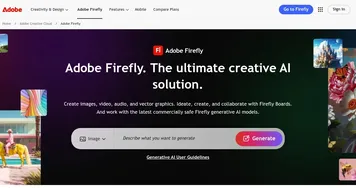
For many photo edits, you don't need Photoshop. AI can help you change colors in your images, remove objects, and alter the background. Or you can use it to remove red-eye, smooth skin, and change the haircut. A good tools to try are Adobe Firefly and Clipdrop. -
Content generation for games
There are tools that are specially made for video game designers like Leonardo.Ai, allowing them to quickly create textures, characters, and environments. -
Animation
Generate frames for animations or modify existing frames to create new animations. Some AI tools can help you generate the movements of a character or entirely new scenes for an animation. -
Realistic faces
Which you can then use in stories, games, and other forms of media. This can be especially handy for folks looking to generate a large number of different and unique characters. Also, there are tools like HeadshotPro that are used for making perfect headshots for social media and websites. -
Marketing materials
AI can help you create images for ads, social media posts, and other marketing materials. For instance, you can use it for images of products in different settings and then use those graphics in your social media posts and campaigns. Pixlr is a good service for this.