Best AI Document Generation Tools

118 toolsRanked by traffic

AI document generation tools draft finished documents from a prompt, a few notes, or source material you feed in. You describe the report, contract, letter, or proposal you need, and the tool writes a structured first draft you can edit. Tools like Notion AI, ClickUp Brain, and Gamma sit right inside the workspace where your docs already live.

These tools fit anyone who writes the same kinds of documents over and over: managers drafting briefs, sales teams building proposals, and ops people writing policies. The honest tradeoff is that AI gives you a fast first draft, not a final one. It nails structure and tone but invents details, so you still have to fact-check names, numbers, and dates. The best fit is usually whichever tool already lives in the app where you store your work.
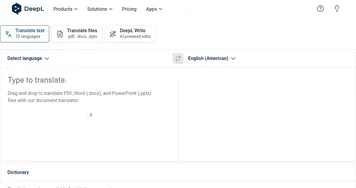

DeepL
DeepL - icon
DeepL
Delivers remarkably natural AI translations that capture nuance better than most rivals
Box AI
Box AI - icon
Box AI
An assistant that taps into your enterprise content and documents
AWS HealthScribe
AWS HealthScribe - icon
AWS HealthScribe
Automatically create clinical notes from patient-clinician conversations using generative AI
ClickUp Brain
ClickUp Brain - icon
ClickUp Brain
Automates workflows with contextual AI for tasks, meetings, and content creation
Gamma
Gamma - icon
Gamma
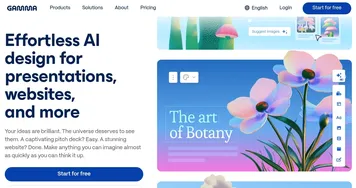
An AI tool for creating presentations, documents, or webpages.
Notion AI
Notion AI - icon
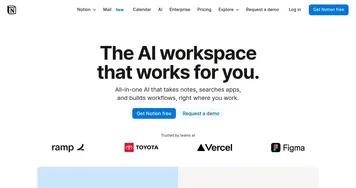
Notion AI
Streamlines work with AI-powered note-taking, app searches, and workflow automation
CoCounsel
CoCounsel - icon
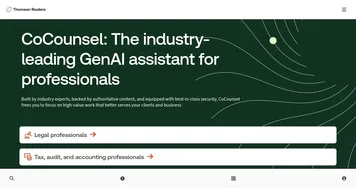
CoCounsel
Tool for legal document review, research memos, deposition preparation, and contract analysis
Prezi
Prezi - icon
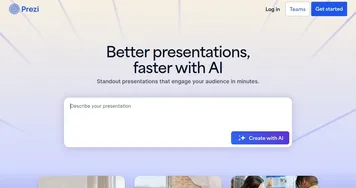
Prezi
Creates engaging AI-powered presentations in seconds
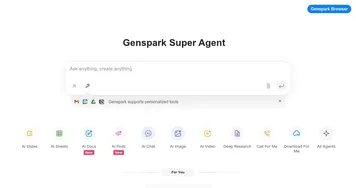
Genspark
Genspark - icon
Genspark
An innovative AI-powered search engine designed to improve how we access information online
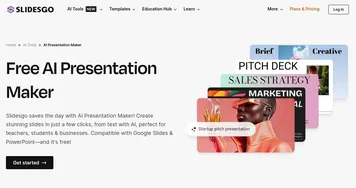
Slidesgo AI Presentation Maker
Slidesgo AI Presentation Maker - icon
Slidesgo AI Presentation Maker
An AI-powered presentation maker that simplifies the creation of presentations for all kinds of use cases
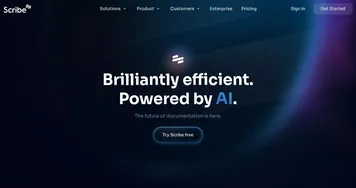
Scribe AI
Scribe AI - icon
Scribe AI
Save hours a week with an AI tool that builds how-to guides, SOPs, and training manuals for you
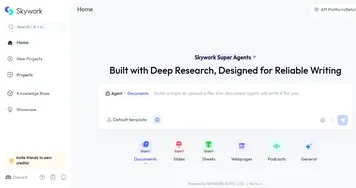
Skywork
Skywork - icon
Skywork
Transforms simple prompts into research-backed docs, slides, and podcasts
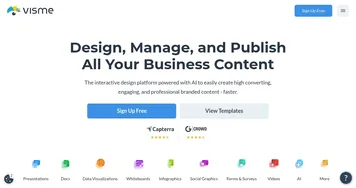
Visme
Visme - icon
Visme
Create stunning presentations, infographics, and branded visuals effortlessly
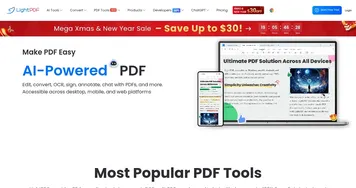
LightPDF
LightPDF - icon
LightPDF
Ask anything about your documents, get summaries, outlines, and answers instantly

What can I do with AI tools for documents?

These tools offer different functionalities that can help you better understand all kinds of documents, among other things. Here's what you can use them for:
  • Chatting with documents

    Instead of searching through a Word or PDF file, you can upload it to an AI-powered service and then ask questions about it. The underlying algorithms will understand the context of the text and generate appropriate responses, making it easier to go through complex documents. Services in that could do this include ChatPDF, ChatDOC, and AskYourPdf.
  • Grammar and style checking

    If you or someone from your team has created a document, you may want to check how well it's written. There are all kinds of tools that will check the text for grammatical errors, punctuation mistakes and even suggest stylistic improvements.
  • Summarization

    Don't want to go through a thousand-page-long document? Luckily, there are smart tools out there that will make all that content shorter and easier to understand by producing concise and coherent summaries. Notedly is especially good for this.
  • Paraphrasing

    Or you may want to change how something sounds. That is also possible with modern AI tools that will help you rephrase some text to make it sound more professional or however you want it to sound.
  • Translation

    We have a dedicated section with AI translation tools, but we should mention this capability here, as well. This is because some of the tools listed here can also translate text for you.
AI tools for documents can be helpful to different groups of people, including students, professionals, teachers, and everyone else who wants to gain insights and knowledge from documents they have on their computer. Or to do something else with those files.

Frequently Asked Questions

What is the best AI document generator?
The best AI document generator depends on where your work lives. Notion AI and ClickUp Brain are strong if your docs already sit in those workspaces, Gamma excels at decks and visual one-pagers, and general assistants handle one-off letters and reports well. Pick the one that drafts inside the app you already use daily.
Can AI write a full document for me?
AI can write a complete first draft of most documents, including reports, contracts, proposals, and letters. It handles structure, headings, and tone reliably from a short brief. You still need to review it, because the model can invent facts, names, and figures that sound plausible but are wrong. Treat the output as a starting point.
How do AI document generators work?
AI document generators use a large language model to predict text from your instructions and any source material you provide. You give a prompt, an outline, or a few bullet points, and the tool expands that into full paragraphs with consistent formatting. Many also pull from files in your workspace to ground the draft in real content.
What's the difference between document generation and document extraction?
Document generation creates new written content, turning a brief or notes into a finished draft. Document extraction does the reverse: it reads an existing document and pulls out specific data like names, dates, totals, or table values. One writes a document for you, the other mines facts out of documents you already have.
Are AI-generated documents safe to use at work?
AI-generated documents are generally safe to use once you review them, but the draft itself is not authoritative. Check every factual claim, especially anything legal or financial, and confirm your tool's privacy settings before pasting confidential material. For sensitive work, choose a plan that does not train on your data and keep a human approver in the loop.