Frequently Asked Questions
What is the best AI tool for office work?
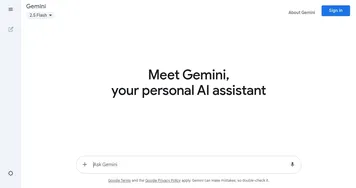
The best AI office tool depends on your stack. Gemini fits naturally if your team lives in Google Workspace, Microsoft Copilot suits Office and Outlook users, and Claude is strong for long documents and careful writing. Many people start with a free general assistant and add an integrated one once it proves useful.
Can AI tools help with meeting notes?
Yes, AI meeting tools join or record your calls, transcribe what's said, and produce a summary with action items afterward. Most connect to Zoom, Google Meet, or Teams and drop the notes into your calendar or docs automatically. They save the most time on recurring meetings where you mainly need decisions and follow-ups.
Are AI workplace tools safe to use with company data?
It depends on the plan. Business and enterprise tiers usually promise not to train on your data and add admin controls, while free consumer versions may retain conversations. Before pasting anything sensitive, check whether the tool offers a business agreement, turn off model training where you can, and follow your company's policy.
How much do AI office tools cost?
Most AI office tools have a free tier and charge roughly twenty to thirty dollars per user each month for the full version. Suite add-ons like Copilot or Gemini for Workspace are priced per seat and billed through your existing subscription. Standalone assistants are cheaper, but they won't reach into your company files the same way.
Do AI assistants work inside Microsoft Office and Google Workspace?
Yes, the major suites now have AI built in. Copilot lives inside Word, Excel, Outlook, and Teams, and Gemini works across Docs, Sheets, Gmail, and Meet. These integrations can draft, summarize, and pull from your own files directly, which standalone chatbots can't do unless you paste the content in yourself.
Can AI write emails and reports for me?
Yes, drafting emails and reports is one of the most common uses for workplace AI. You give it the key points or a rough draft and it returns clean, structured prose you can edit. The results are best treated as a strong first pass: it handles tone and structure well, but you should still check facts and figures yourself.